Jet Ski Racer: Speed, Skill, and Splash in Every Turn
Jet Ski Racer isn’t just a game—it’s a high-octane showdown on the water. With razor-sharp graphics built in Unity3D and smooth WebGL performance, this racing title throws you into the heart of the action. Compete against AI or real players, slice through waves, and claim victory in a world where every second counts. Why settle for ordinary when you can dominate the track on a jet ski?
Mastering Jet Ski Racer means learning its intuitive controls and adapting to the chaos of open-water racing. The game rewards quick reflexes and smart strategy, blending arcade-style fun with competitive depth. Whether you’re a casual player or a hardcore racer, this title hooks you with its relentless pace and rewarding progression system.
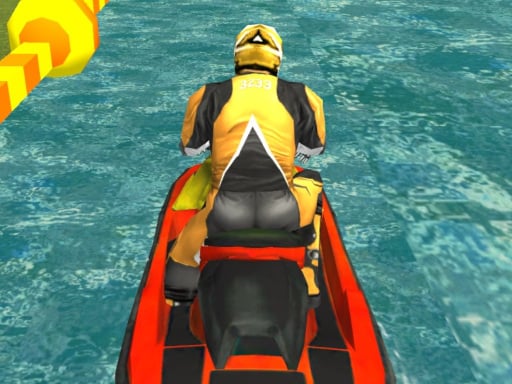
How to Rule the Waves in Jet Ski Racer
Controls are straightforward but demand precision. Here’s the breakdown:
- WASD or arrow keys to steer and adjust speed.
- Left shift activates nitro boosts for explosive overtakes.
- Tab toggles pause—plan your next move mid-race.
- C switches camera angles for better track awareness.
Experiment with upgrades, unlock sleek boat skins, and conquer diverse tracks. The game’s design ensures you’re always one tweak away from victory.
Jet Ski Racer’s addictive loop hinges on progression and competition. Focus on perfecting your nitro usage—overusing it burns through the meter fast. Learn track shortcuts, anticipate rivals’ moves, and use the environment to your advantage. Leaderboards and daily challenges keep the stakes high, while Play8’s platform ensures seamless cross-device play. The more you race, the more you unlock, creating a cycle of mastery and reward.
Ready to prove you’re the fastest on the water? Head to Play8 and fire up Jet Ski Racer today. No waiting, no downloads—just pure adrenaline in your browser. Outpace the competition, own the podium, and make every splash count. The ocean’s calling. Will you answer?
Controls WASD or arrow keys to move Left shift for nitro Tab to toggle pause C to change camera view