Advent NEON: Neon‑lit Battle in 2D
Advent NEON throws you into a hyper‑charged side scrolling arena where every jump, dash, and punch feels like a fighting reflex test. Neon‑slick corridors pulse with synth beats, enemies line up for a quick destroy‑or‑die showdown, and the platform layout demands razor‑sharp timing. If you love fast battle loops that reward precision, this 2D platformer will keep your thumbs buzzing.
Play8’s Side‑Scrolling Showdown
Master the controller or keyboard with a clean, remappable scheme. The game runs only in Chromium‑based browsers, so fire up Chrome and you’re set.
- Move: WSAD/Arrows — Left Stick/D‑Pad
- Jump: Space bar/C
- Punch: P/Z — Bottom Face/Left Bumper
- Dash: O/X — Left Face/Right Face + Direction
- Break Attack: Hold Dash + Press Punch + Direction — Top Face/Right Bumper + Direction (or Right Stick on Gamepad)
- Full gamepad support; remap inputs in Options
- “Tap up to Jump” toggle available
- Gamepad stick deadzone adjustable from 10% to 85%
- Visualizer for real‑time input display: Options → Video → Display Inputs
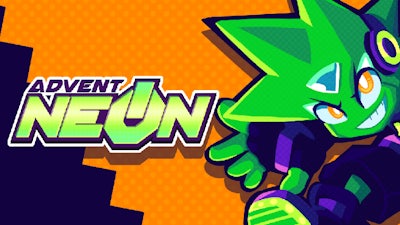
Strategically, you’ll want to chain dashes into break attacks to shred through enemy formations before they can regroup. Keep an eye on the rhythm of each level; the beat cues when a wave of foes will spawn, letting you time a perfect battle combo. Upgrade your dash distance and punch power in the mid‑level shop to stay ahead of tougher AI. The more you destroy, the higher the score multiplier, which fuels the unlockable skins and extra stages that keep the loop fresh.
Don’t just watch the neon glow—hit the Advent NEON arcade now and feel the rush. Play8 built this fast‑paced platform with a controller‑first mindset, so grab your gamepad and start crushing the next wave. Your next high score is waiting.
To ensure your gamepad controls are working, you can open a Visualizer for your inputs by going to Options -> Video -> Display Inputs. These show the real-time inputs from your controller regardless of what's happening in the game.