Sticky Scenes – A Cute Puzzle Challenge for One Player
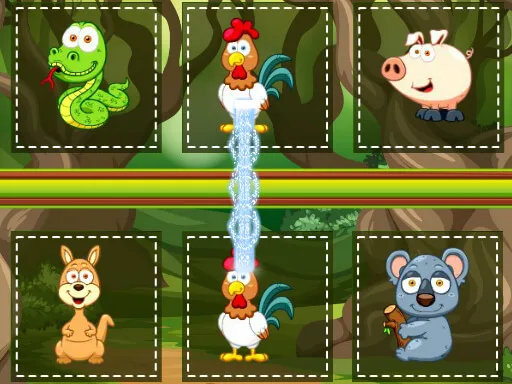
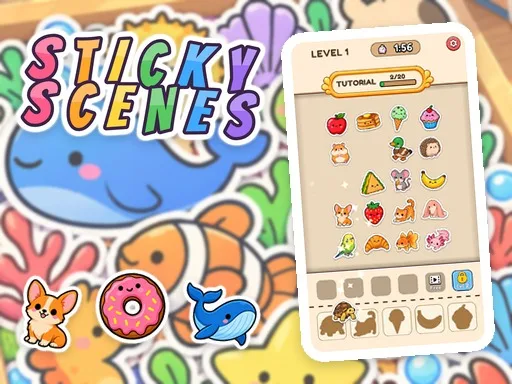
Sticky Scenes drops you into a bright board of stickers and a row of empty shapes. Your job is to match each animal, snack, or treat to its silhouette before the timer runs out. Every correct placement clears space, adds points, and pushes you toward the next charming scene. The game feels light, yet each level tests timing and pattern recognition, making it perfect for quick sessions or longer play on mobile or desktop.
Sticky Scenes Mechanics
The controls are straightforward. Click or tap the sticker that fits the highlighted shape, then watch it snap into place. A bench holds extra stickers for later use, but it has limited slots—fill it up and the level ends.
- Mouse click a sticker on the board to stick it into its shape
- Touch tap a sticker
- Sticker book click tap a sticker or drag it onto the picture
- Buttons Hint extra bench slot Settings
Sticky Scenes Strategy
Start each chapter by scanning the upcoming shapes. Prioritize stickers that appear frequently; they free up bench space for rarer pieces. Use the Hint button only when the timer threatens your progress—each hint costs a bench slot, so plan its use wisely. As you advance, the puzzle board expands, and shapes rotate faster. Keep an eye on the timer and aim to finish each level with a clean board; that grants bonus points and unlocks extra stickers for your collection. The Sticker Book rewards you with new cute designs after every win, encouraging you to complete each themed chapter. Completing all 47 levels across 11 chapters unlocks a final gallery where you can view every animal and treat you’ve placed.
Ready to start matching, tapping, and collecting? Jump into Sticky Scenes now, enjoy the relaxed 2D puzzle flow, and watch your sticker collection grow. Play the game instantly in your browser—HTML5 and WebGL power smooth performance on mobile, tablet, and desktop. Play8 brings this casual delight to your fingertips, so tap the screen, solve the puzzle, and feel the satisfaction of a perfectly filled scene.
Mouse click a sticker on the board to stick it into its shape Touch tap a sticker Sticker book click tap a sticker or drag it onto the picture Buttons Hint extra bench slot Settings