Momo Horror Story: Survive the Terror
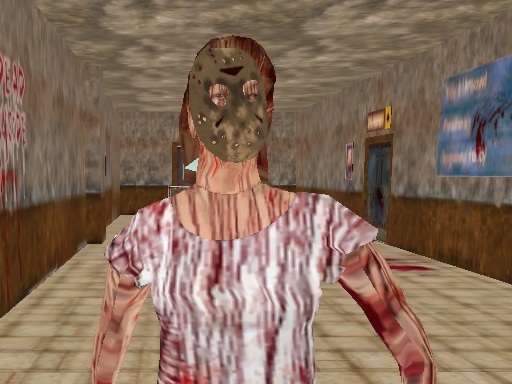
Ever messaged someone and regretted it? In Momo Horror Story, your curiosity gets the best of you, and now you're being stalked by a terrifying monster. This chilling 3D game is brought to you by Play8, your go-to destination for spine-tingling gaming experiences. Your goal is simple: survive until the police arrive. But with a creepy atmosphere and intense gameplay, it won't be easy.
Mastering the controls is key to making it through the night. Here's how to play:
- Movement: W A S D to walk around
- Camera: Mouse to look around
- Combat: Left Mouse Button to Attack
- Flashlight & Aim: Right Mouse Button to switch between the two
- Inventory: Mouse Wheel to change weapons
- Extras: G for Grenades, R to Reload, F to Interact, Left Shift to Run, Left CTRL
The game is optimized for PC, offering a seamless experience in 3D.
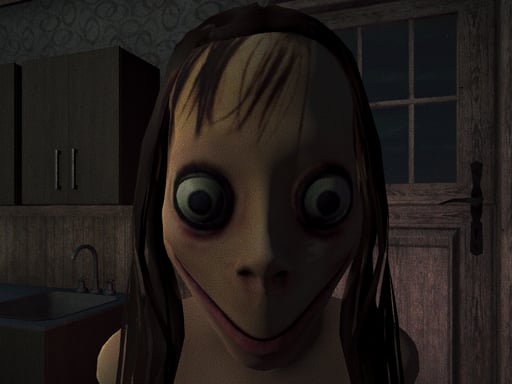
As you navigate through the dark and foreboding environments, strategy becomes your best friend. You'll need to manage resources wisely, such as ammo and health. The game features two modes: Classic and Gun mode, offering different levels of challenge for players. Completing tasks like turning on the generator, finding keys, and closing windows will help you survive longer. With each passing minute, the tension builds, and your survival instincts will be put to the test. Will you make it to 00:00, or will Momo's monster catch up with you?
Can You Survive the Night?
Test your survival skills in Momo Horror Story, available now on Play8. If you're a fan of 3D horror games like kiz10, this game is a must-play. Don't miss out on the chance to experience the thrill and fear that comes with every corner and creak of the environment. Head over to Play8 to explore more games and start your survival journey today!
W A S D to walk around Mouse to Look around Left Mouse Button to Attack Right Mouse Button to Switch Flashlight and Aim Mouse Wheel To Change Weapons G for Grenades R to Reload F to Interact Left Shift to Run Left CTRL