EPIC Escape from Barrys Prison – Prison Break Madness
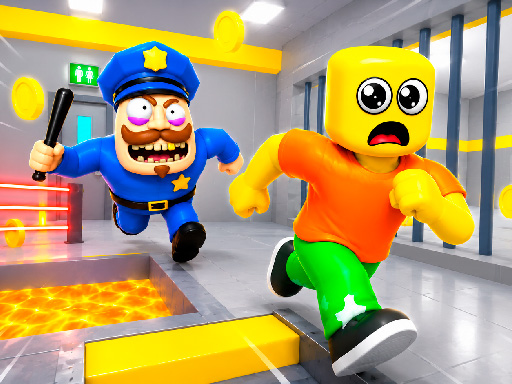
Barry the guard locked you behind steel bars, but the cell door isn’t the end of the story. EPIC Escape from Barrys Prison throws you into a frantic 3D adventure where every jump, slide, and puzzle pushes you closer to freedom. The prison is a maze of deadly traps, moving platforms, and hidden routes. Fail and you’re back to the start; succeed and you claim an Escape that feels earned. If you love fast‑paced platform challenges and razor‑sharp timing, this is the title that will keep your thumbs screaming for more.
EPIC Escape from Barrys Prison Mechanics
Control the inmate with simple, responsive inputs. Master the run‑jump‑interact loop to outwit Barry’s guards and the ever‑changing environment.
- PC Controls — WASD or Arrow Keys — Move
- Left Shift — Run
- Space — Jump
- E — Interact with objects
- TAB — Show/hide cursor
- Mobile Controls — Joystick — Move
- On‑screen buttons — Jump and actions
EPIC Escape from Barrys Prison Strategy
First, scout each cell block. The layout repeats, but subtle visual cues mark safe routes. Memorize the timing of swinging blades and collapsing floors—those platforms are the heart of the Platform challenge. When you spot a hidden lever, pause and assess: pulling it may open a shortcut or unleash a new hazard. Keep a mental map of the guard patrol patterns; a well‑timed dash behind a moving cart can buy you seconds of safety. Upgrade your character’s stamina by collecting scattered batteries; a longer run window means fewer risky sprint‑jumps. Finally, stay calm during the final corridor. The speed ramps up, but steady rhythm beats frantic button‑mashing every time.
Ready to smash the bars and claim your freedom? Grab EPIC Escape from Barrys Prison now and prove you can outsmart the toughest guard in the game. Find the full lineup of titles at Play8 and start your next great escape.
PC Controls WASD or Arrow Keys mdash Move Left Shift mdash Run Space mdash Jump E mdash Interact with objects TAB mdash Show hide cursor Mobile Controls Joystick mdash Move On-screen buttons mdash Jump and actions