Controls
- WASD or arrow keys = move
- Left mouse button = link crate
- Right mouse button = unlink crate
- Space = recalls all orbs
- R = reset
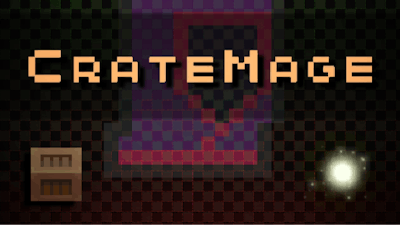


In CrateMage, you command a sorcerer armed with floating orbs. Your task? Link two crates in cramped, box‑filled dungeons. Each level feels like a fresh brain‑teaser, wrapped in crisp pixel art. Miss a link and the whole layout collapses. The payoff is instant: a satisfying chain reaction that clears the room. If you love a game that rewards precise clicks and sharp thinking, this one hits the spot.
The control scheme stays lean. Move with WASD or the arrow keys, then use the mouse to stitch crates together. Timing matters; a single mis‑click can turn a simple puzzle into a difficult showdown.
Every stage adds a new twist. Early rooms teach you to line up orbs in a straight line. Later, obstacles slide, walls shift, and you must juggle multiple crate pairs at once. The key is to think two moves ahead, just like a chess player but in a 2D arena. Keep an eye on the mouse cursor; it shows the current link range. When the range glows, you’ve found the sweet spot.
Progression leans on three pillars: pattern recognition, resource management, and spatial foresight. Save orbs for tight spots; don’t waste them on obvious links. If a level feels impossible, reset with R and replay the opening moves. You’ll spot a hidden corridor or a timing window you missed the first time.
Play8 designed the difficulty curve to stay sharp without feeling unfair. The first dozen puzzles warm you up, then the challenge ramps up steadily. Each new mechanic—moving walls, rotating crates, timed lockouts—forces you to adapt your strategy. Master the art of linking while the camera stays fixed, and the pixel‑perfect visuals guide your eye.
Ready to test your brain muscles? Grab Play8 and jump into CrateMage now. One click, a handful of moves, and a whole world of clever challenges await.

We use cookies to help you navigate efficiently and perform certain functions. You will find detailed information about all cookies under each consent category below.
The cookies that are categorised as "Necessary" are stored on your browser as they are essential for enabling the basic functionalities of the site.
Necessary cookies are required to enable the basic features of this site, such as providing secure log-in or adjusting your consent preferences. These cookies do not store any personally identifiable data.
Functional cookies help perform certain functionalities like sharing the content of the website on social media platforms, collecting feedback, and other third-party features.
Analytical cookies are used to understand how visitors interact with the website. These cookies help provide information on metrics such as the number of visitors, bounce rate, traffic source, etc.
Advertisement cookies are used to provide visitors with customised advertisements based on the pages you visited previously and to analyse the effectiveness of the ad campaigns.
We also use third-party cookies that help us analyse how you use this website, store your preferences, and provide the content and advertisements that are relevant to you. These cookies will only be stored in your browser with your prior consent.
You can choose to enable or disable some or all of these cookies but disabling some of them may affect your browsing experience.