Craft 3D – The Sandbox That Redefines Block Building
Craft 3D drops you into a limitless 3D sandbox that feels like a fresh spin on Minecraft. No quest lines, no timers—just raw building power at your fingertips. Whether you’re stacking skyscrapers or carving cavernous forts, the game rewards imagination fast. Every block you place reshapes the world, and every new structure feels like a personal trophy. That’s why players keep coming back: the thrill of seeing a towering building rise from a single click never gets old.
Mastering the controls is the first step to owning this sandbox. The layout is clean, responsive, and perfect for quick sessions or marathon builds:
- Movement: WASD or Arrow Keys – stride across any terrain.
- Vertical Shift: R – climb up; F – drop down.
- View: Mouse – look around freely.
- Create: Left Click – place a block instantly.
- Destroy: Right Click – erase unwanted blocks.
- Floor Duplicator: Press P – clone the current floor layer.
- Return Home: X – teleport back to your base.
- Color Picker: 0‑6 keys – switch between Grey, Black, White, Red, Green, Blue, Yellow.
Craft 3D Strategy & Progression
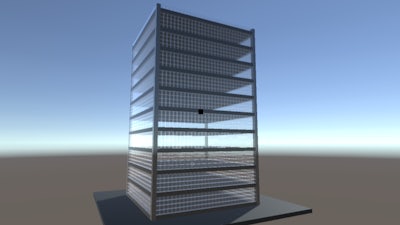
Winning isn’t about points; it’s about efficiency and style. Start small: lay a basic floor, then hit P to duplicate it—watch a multi‑story tower sprout in seconds. Use the building generator for massive structures when you’re short on time. Mix terrain presets with custom blocks to create hidden valleys or floating islands, then flesh them out with your own designs. Color‑code sections to spot structural weaknesses fast, and keep an eye on the sky—high rises look cooler from above. The more you experiment, the deeper the satisfaction.
Ready to claim your spot in the ultimate block‑building arena? Craft 3D is live on Play8, and the world is waiting for your next masterpiece. Grab your mouse, stack those blocks, and turn imagination into concrete. The sandbox never sleeps—so why should you?