Shaolin Sudoku: The Ultimate Puzzle Challenge
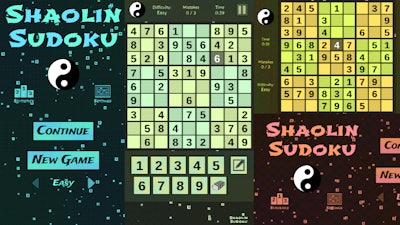
Looking for a puzzle game that will put your brain to the test? Shaolin Sudoku from Play8 is a 2D Sudoku game that challenges you to fill numbers correctly with only a few mistakes allowed. With three difficulty options, this game is perfect for 1 Player seeking a thrilling experience.
Mechanics and Controls
Mastering the controls is essential to conquering Shaolin Sudoku. The game offers a seamless experience, whether you're using a keyboard or a gamepad.
- Go back, close menu, open game menu:
Keyboard - [ Esc / X / Numpad - ]
Gamepad - [ Cancel (East) ]
- Click or press menu buttons:
Keyboard - [ Submit (Enter) / Space ]
Gamepad - [ Submit (South) ]
- Navigate menu buttons or sudoku board:
Keyboard - [ WASD / Arrow keys ]
Gamepad - [ D-pad / Any stick ]
- Switch focus between menu buttons and sudoku board:
Keyboard - [ Ctrl / K / Numpad (/) ]
Gamepad - [ West / Select / Left shoulder]
- Toggle pencil or note:
Keyboard - [ Tab / N / Numpad + ]
Gamepad - [ North / Right shoulder ]
- Input/note number in cell:
Keyboard - [ Number or Numpad keys 123456789 ]
- Erase/empty cell:
Keyboard - [ Number or Numpad key 0 / Backspace ]
- Pause game:
Keyboard - [ ` / P / Numpad * ]
Gamepad - [ Start ]
- Fullscreen / window mode:
Keyboard - [ F11 ]
Strategy and Progression
To succeed in Shaolin Sudoku, you'll need to develop a solid strategy. Focus on filling in the numbers correctly, and try to avoid mistakes. As you progress through the game, the difficulty level increases, requiring you to think critically and make strategic decisions. Can you master the art of Sudoku and become a Play8 champion?
Ready to take on the challenge? Head over to Shaolin Sudoku to start playing now, or visit the Play8 homepage to explore more exciting games like this 2D puzzle experience.
Instructions:
Controls
Go back, close menu, open game menu
- Keyboard - [ Esc / X / Numpad - ]
- Gamepad - [ Cancel (East) ]
Click or press menu buttons
- Keyboard - [ Submit (Enter) / Space ]
- Gamepad - [ Submit (South) ]
Navigate menu buttons or sudoku board
- Keyboard - [ WASD / Arrow keys ]
- Gamepad - [ D-pad / Any stick ]
Switch focus between menu buttons and sudoku board
- Keyboard - [ Ctrl / K / Numpad (/) ]
- Gamepad - [ West / Select / Left shoulder]
Toggle pencil or note
- Keyboard - [ Tab / N / Numpad + ]
- Gamepad - [ North / Right shoulder ]
Input/note number in cell
- Keyboard - [ Number or Numpad keys 123456789 ]
Erase/empty cell
- Keyboard - [ Number or Numpad key 0 / Backspace ]
Pause game
- Keyboard - [ ` / P / Numpad * ]
- Gamepad - [ Start ]
Fullscreen / window mode