Jungle Jim – Classic 2D Action That Packs a Punch
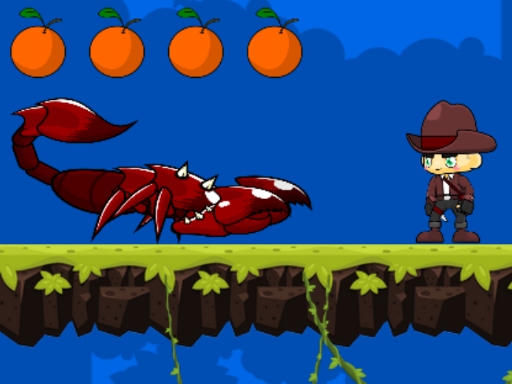
Jungle Jim drops you into a vibrant cartoon forest where every jump counts. This side‑scrolling platformer feels like a love letter to retro arcade titles while staying fresh enough for casual gamers. Master the run‑and‑jump rhythm, smash blocks, and bag coins to prove you’ve got the reflexes of a true arcade hero. Seven increasingly tough levels keep the pressure on, and the treasure chest at each finish screams for a high score.
Mechanics
Controls are stripped down for instant fun. Move, jump, and start with a single button press.
- Press LEFT or RIGHT arrow to move
- UP arrow to jump
- On desktop you can also use WAD keys or a gamepad
- Start the game by touching clicking the Play button
- On desktop you can also start by pressing the D key or pressing START on a gamepad
Strategy
Winning in Jungle Jim isn’t just about speed. Keep an eye on enemy patterns and learn the timing of exploding blocks. Big mushrooms act as trampolines—use them to clear spikes and reach hidden fruit. Collecting coins and fruit boosts your score and unlocks bonus stages, so don’t sprint past a shiny item. The forest layout repeats classic Mario‑style platform puzzles, but each level adds a new twist: moving platforms, rotating vines, and side‑scrolling hazards that demand precise jump timing. Play the game in short bursts if you’re a casual player; the arcade‑style checkpoints let you pick up right where you left off. For the hardcore crowd, aim for a perfect run: no damage, all collectibles, and a flawless finish.
Ready to swing through vines, dodge traps, and rack up the highest score? Jump into the action now and see why Jungle Jim is the next must‑play title from Play8. Press play, run, jump, and claim every treasure chest. The jungle won’t wait.
Press LEFT or RIGHT arrow to move UP arrow to jump On desktop you can also use WAD keys or a gamepad Start the game by touching clicking the Play button On desktop you can also start by pressing the D key or pressing START on a gamepad