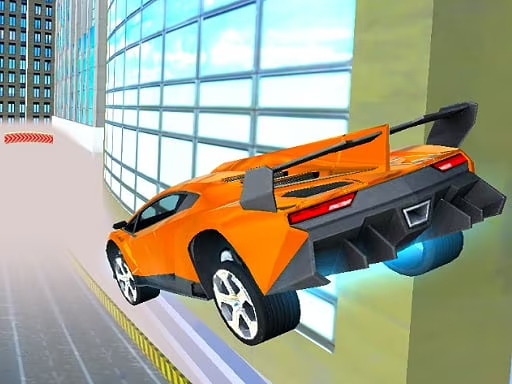
Click to play
x
Controls

Controls

Gameplay

  • WASD / arrow keys : Vehicle control
  • Space: Handbrake
  • Left Shift: Boost
  • C: Change camera
  • B: Look back
  • I: Start stop engine
  • L: Low beam headlights
  • K: High beam headlights
  • Q / E / Z: Indicators
  • H: Horn

Creativity Mode

  • 1 / 2 / 3 / 4: Object rotation
  • Q / E: Camera elevation
  • F: Place object
  • R: Snap object
  • G: Reset object rotation
  • Backspace: Delete object
  • Space: Freeze / unfreeze object
City Car Driving Simulator: Online

City Car Driving Simulator: Online

City Car Driving Simulator: Online
Click to play
This game is not available on mobile.
rotate phone

City Car Driving Simulator: Online – Play8’s Urban Thrill Machine

Imagine tearing through neon‑lit boulevards, the engine roaring, crowds cheering. City Car Driving Simulator: Online drops you into a living, breathing 3D city where every alley, highway, and rooftop garage is yours to dominate. Whether you crave high‑speed chases, precision drifting, or just cruising with friends, the game hands you the wheel and the cash‑flow to upgrade any car you desire. The police stalk every corner, so every decision feels raw and real—miss a turn, and you’ll hear sirens closing in.

Mastering the controls is pure instinct. The layout mirrors classic PC rigs, letting you jump straight into the action without a tutorial marathon. Here’s the full cheat sheet:

  • WASD / Arrow keys: steer, accelerate, brake
  • Space: handbrake – perfect for tight drifts
  • Left Shift: boost – hit the speed button when you need that extra burst
  • C: change camera view – find the angle that suits your style
  • B: look back – keep an eye on pursuing police
  • I: start/stop engine – conserve fuel or rev up for a launch
  • L: low‑beam headlights – night drives made safer
  • K: high‑beam headlights – blind the cops for a second
  • Q / E / Z: turn indicators – signal your moves
  • H: horn – let the city hear you
  • Creativity Mode 1‑4: rotate objects – build custom stunt parks
  • Q / E (Camera elevation): raise or lower view – perfect for spotting shortcuts
  • F: place object – set up ramps, barriers, anything
  • R: snap object – align it cleanly
  • G: reset object rotation – undo mistakes fast
  • Backspace: delete object – clear the mess
  • Space (Freeze/Unfreeze): lock objects in place – fine‑tune your tracks
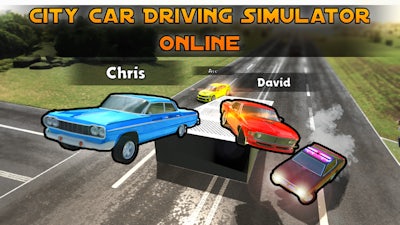
City Car Driving Simulator: Online Gameplay

Staying ahead isn’t just about reflexes; it’s a game of strategy. Start by tackling low‑risk jobs to rack up cash, then pour that money into performance upgrades—better brakes for tighter drifts, turbo for insane speed bursts, or reinforced chassis to survive police rams. Learn each district’s shortcuts; the downtown grid hides a back‑alley that cuts a race time in half, while the industrial zone offers perfect drift corridors. Join a crew in multiplayer mode to pool resources, set up coordinated heists, or challenge rivals in head‑to‑head drifting battles. The more you outsmart the police, the higher your reputation, unlocking exclusive paint jobs and exotic car models.

Ready to dominate the streets? Jump into City Car Driving Simulator: Online now, rev up that engine, and show the city who’s boss. Play8 has built a platform where speed, skill, and creativity collide—don’t just play, own the asphalt.

Instructions:

Controls

Gameplay

  • WASD / arrow keys : Vehicle control
  • Space: Handbrake
  • Left Shift: Boost
  • C: Change camera
  • B: Look back
  • I: Start stop engine
  • L: Low beam headlights
  • K: High beam headlights
  • Q / E / Z: Indicators
  • H: Horn

Creativity Mode

  • 1 / 2 / 3 / 4: Object rotation
  • Q / E: Camera elevation
  • F: Place object
  • R: Snap object
  • G: Reset object rotation
  • Backspace: Delete object
  • Space: Freeze / unfreeze object
Customise Consent Preferences Close

We use cookies to help you navigate efficiently and perform certain functions. You will find detailed information about all cookies under each consent category below.

The cookies that are categorised as "Necessary" are stored on your browser as they are essential for enabling the basic functionalities of the site.

Always Active

Necessary cookies are required to enable the basic features of this site, such as providing secure log-in or adjusting your consent preferences. These cookies do not store any personally identifiable data.

Functional cookies help perform certain functionalities like sharing the content of the website on social media platforms, collecting feedback, and other third-party features.

Analytical cookies are used to understand how visitors interact with the website. These cookies help provide information on metrics such as the number of visitors, bounce rate, traffic source, etc.

Advertisement cookies are used to provide visitors with customised advertisements based on the pages you visited previously and to analyse the effectiveness of the ad campaigns.

We also use third-party cookies that help us analyse how you use this website, store your preferences, and provide the content and advertisements that are relevant to you. These cookies will only be stored in your browser with your prior consent.

You can choose to enable or disable some or all of these cookies but disabling some of them may affect your browsing experience.