Controls
Left-click and drag to move the objects
While dragging
- Left and right arrow keys = rotate objects
- Up and down arrow keys = scale objects
- Page-up = swap depth
- Insert = duplicate clip
- Home and end keys = move the camera
Left-click and drag to move the objects
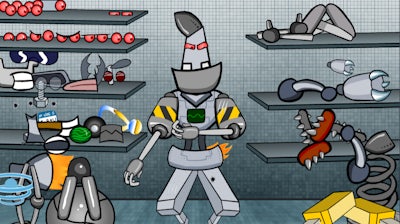


Build a Robot is not just any puzzle game—it’s your personal sandbox to experiment with bot design. From the head down to the tiniest bolt, you get to decide what makes your robot tick. Whether you want a battle-ready cyborg or a fashion-forward robot with the latest Dress Up flair, the tools are in your hands. And no, we're not joking about the Dress Up part. This 2D game is all about creativity, and it runs smoothly in Flash, so you can build anytime, anywhere.
Let’s get into the nitty-gritty of what makes Build a Robot so addictive. Here’s how you control the chaos and bring your robot to life:
This control system is intuitive but deep, letting you fine-tune every part of your robot. The more you play, the more you learn what works—and what explodes. It’s trial, error, and a whole lot of fun.
What keeps you coming back is the pure satisfaction of seeing your robot take shape. Each tweak, each adjustment is a small victory. You’ll start with the basics but quickly realize the sky’s the limit. Want to build a Robot that can walk? How about one that dances? The possibilities are endless, and the freedom to mess around is what makes Play8 a standout platform for creative games. Every time you think you’ve seen it all, there’s a new part, a new shape, or a new way to blow things up.
Progress is addictive. You start with a simple design, then add more complexity—arms, legs, weapons, accessories. The more you build, the more you want to tweak. It’s the kind of game that’s easy to start but hard to stop. And hey, if you ever feel stuck, just hit Insert and try something new. The robot will thank you later.
Ready to make your mark in the world of robot design? Head over to Build a Robot and join the Play8 community of builders, tinkerers, and robot lovers. You’ve got the tools, the vision, and the skills. Now it’s time to bring your robot to life—and maybe even dress it up a bit for the robot runway.
Left-click and drag to move the objects

We use cookies to help you navigate efficiently and perform certain functions. You will find detailed information about all cookies under each consent category below.
The cookies that are categorised as "Necessary" are stored on your browser as they are essential for enabling the basic functionalities of the site.
Necessary cookies are required to enable the basic features of this site, such as providing secure log-in or adjusting your consent preferences. These cookies do not store any personally identifiable data.
Functional cookies help perform certain functionalities like sharing the content of the website on social media platforms, collecting feedback, and other third-party features.
Analytical cookies are used to understand how visitors interact with the website. These cookies help provide information on metrics such as the number of visitors, bounce rate, traffic source, etc.
Advertisement cookies are used to provide visitors with customised advertisements based on the pages you visited previously and to analyse the effectiveness of the ad campaigns.
We also use third-party cookies that help us analyse how you use this website, store your preferences, and provide the content and advertisements that are relevant to you. These cookies will only be stored in your browser with your prior consent.
You can choose to enable or disable some or all of these cookies but disabling some of them may affect your browsing experience.