Project Grand Auto Town: The Ultimate Gangster Experience
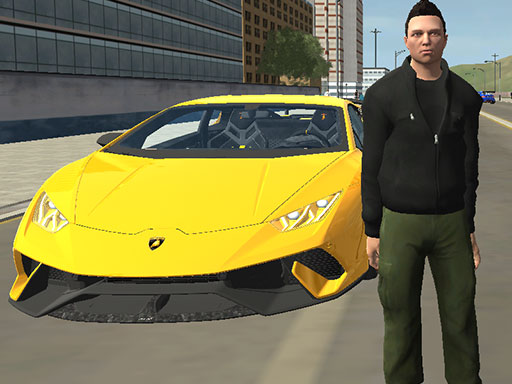
In Project Grand Auto Town, you play as a ruthless gangster, seeking to dominate the streets of a vast 3D city. This game is all about living out your wildest fantasies, from ruling the streets to taking down rival gangs. With a massive open world to explore, you'll need to use your wits and cunning to outmaneuver your opponents and build your empire. If you're a fan of GTA or Mafia games, you'll love the thrill of Project Grand Auto Town.
To play, you'll use the WASD or arrow keys to move around, and the space bar to jump. You can pause the game with the P key, and reload with the R key. For combat, you'll use the left mouse button to shoot or attack, and the right mouse button to aim. You can change your weapon with the mouse wheel, and enter a car with the E key. Once you're behind the wheel, you can drive using the WASD or arrow keys, switch views with the V key, and use the side view with the shift key. Here's a quick rundown of the controls:
- WASD or arrow keys to move
- Space bar to jump
- P to pause
- R to reload
- Left mouse button to shoot/attack
- Right mouse button to aim
- Mouse wheel to change weapon
- E to enter a car
- WASD or arrow keys to drive
- V to switch view
- Shift to use side view
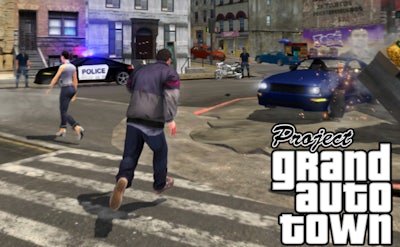
As you progress through the game, you'll need to develop a solid strategy to take down your rivals and build your empire. This Third Person Shooter game requires skill and tactics, especially when using your Gun to take down enemies. You'll need to complete missions, earn cash, and make smart decisions to stay ahead of the competition. With Play8 bringing you the best gaming experience, you can be sure that Project Grand Auto Town will keep you hooked for hours on end. Whether you're playing in 1 Player mode or competing against others, this game has something for everyone.
Mastering Project Grand Auto Town with Play8
To truly master Project Grand Auto Town, you'll need to stay focused and keep your skills sharp. With a variety of Cars to choose from and a massive city to explore, you'll need to use your wits to outmaneuver your opponents. As you progress through the game, you'll unlock new features and upgrades, allowing you to take your gameplay to the next level. With Play8 at the helm, you can be sure that Project Grand Auto Town will continue to evolve and improve, bringing you the best gaming experience possible. So why wait? Head over to Project Grand Auto Town to start playing today, or visit Play8 to explore our full range of games.